Raster modes and dot patterns
Open the Image ribbon with a single photo selected. The mode determines how its tones become requested laser output.
Choose a mode family
| Mode family | How it represents tone |
|---|---|
| Grayscale power | Vary requested power with pixel intensity. |
| Error diffusion | Spread tonal error to neighbouring pixels. Modes include Floyd–Steinberg, Jarvis–Judice–Ninke, Stucki, Atkinson, Burkes and the Sierra variants. |
| Bayer ordered | Apply a repeating 4 × 4 or 8 × 8 threshold pattern. |
| Clustered-dot halftone | Group pixels into repeating clusters that grow with darker tones. |
| Black / white threshold | Use a single cutoff to make a binary image. This legacy option is available in the mode selector. |
Compare the same tones across modes
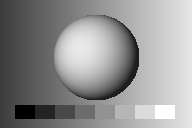
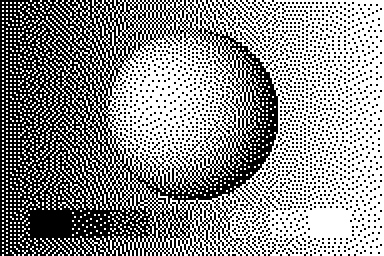
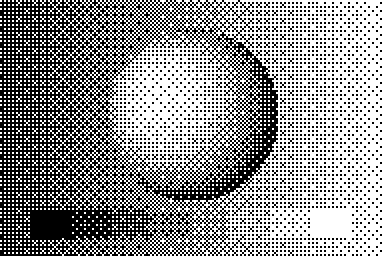
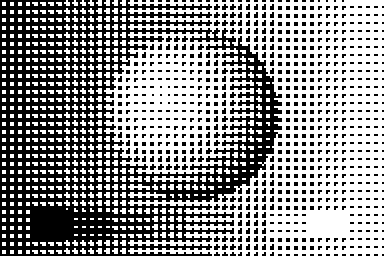
The examples were generated with LaserStudio’s processing algorithms. They illustrate the patterns. The generated job samples your artwork using its physical size and chosen spacing.