Downloadable practice files
Use these files to follow the manual’s tutorials. Open .laserproj files with File → Open. Bring SVG and PNG files into a project with Import artwork.
Choose a practice file
| Download | What to practise |
|---|---|
| Nameplate starter (.laserproj) | Convert editable lettering to paths and preview Fill before Line. Follow Make an engraved nameplate. |
| Circular opening starter (.laserproj) | Subtract a circle from a rectangle and check the contour sequence. Follow Make a plate with a circular opening. |
| Diamond logo (.png) | Trace the image and check that the white diamond in the middle stays clear. Follow Trace a logo into editable outlines. |
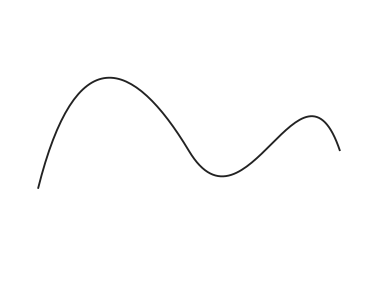
| Curve with two Bézier segments (.svg) | Practise inserting an anchor and moving a handle. Follow Edit nodes and Bézier curves. |

Prepare a copy for software preview
- Save an editable copy of the practice project before changing the design.
- Both project downloads start with layer output disabled and power set to zero. For the exercises, keep the machine disconnected and enable only the layers you need to inspect in Preview job.
- Compare the generated path with the result described in the tutorial.
Check CAD import dimensions
Download the DXF dimension check and follow Import DXF drawings.
Compare photo engraving modes
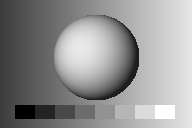
Download the engraving tone study and follow Prepare a photo for engraving.